
Lead Form Checking
- Open the below landing pages and Navigate to the Lead form
- https://nri.darpanfurnishings.com/BookHomeVisit/
- https://nri.darpanfurnishings.com/wallpapers/
- https://nri.darpanfurnishings.com/beddingsolution
- https://nri.darpanfurnishings.com/mattress
- https://nri.darpanfurnishings.com/mattress-exchange-offer
- https://nri.darpanfurnishings.com/window-blinds/
- https://thehabitathighlands.com/
- https://products.harithatech.com/biometric/
- https://products.harithatech.com/gate-automation/
- https://magnusupvc.com/upvc-windows-doors-hyderabad-landing-ga/
- https://www.summirow.com/ld/Dental_Braces
- https://www.summirow.com/ld/implant
- https://justgroom.in/pet-grooming-services/
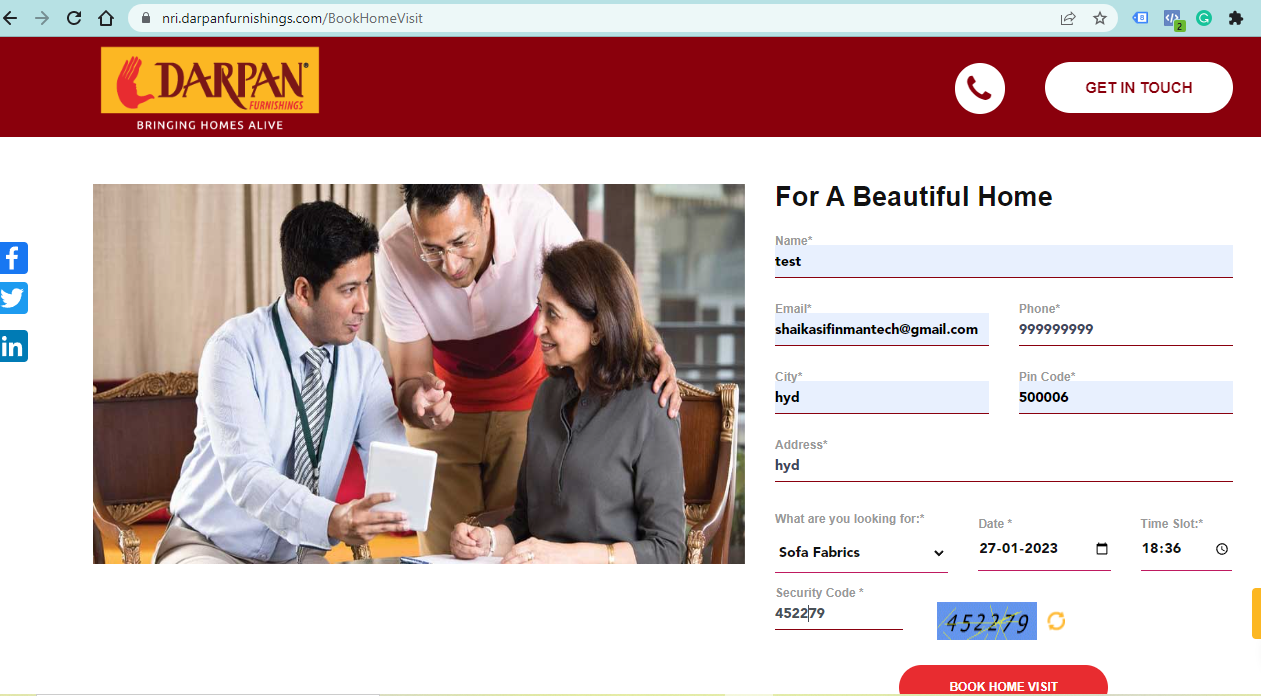
- Fill out the Lead form as shown in the below screenshot After submitting check if the landing page working or not
Note: Name : test, email id: your personal email id
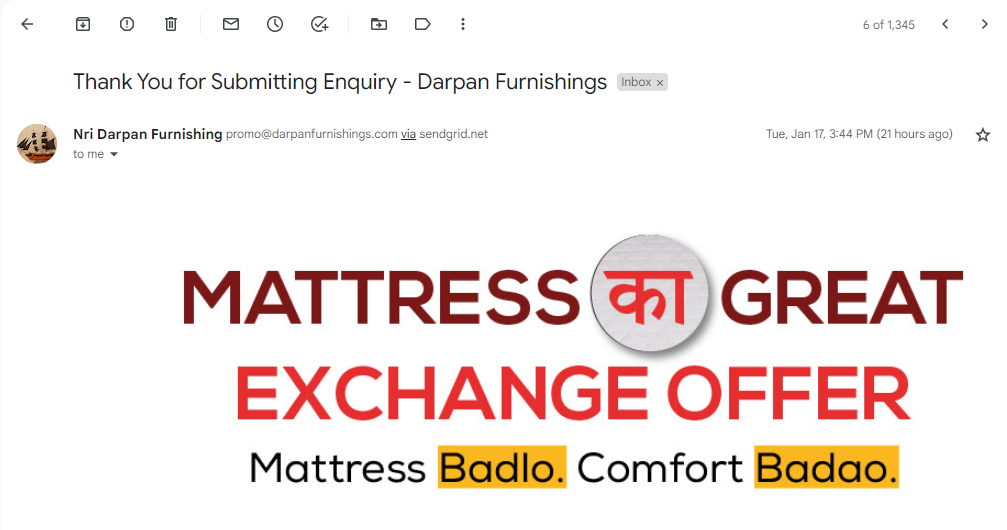
- For Darpan Furnishings after Lead Form submit you will receive Auto Reply mail to mail id you have given in form
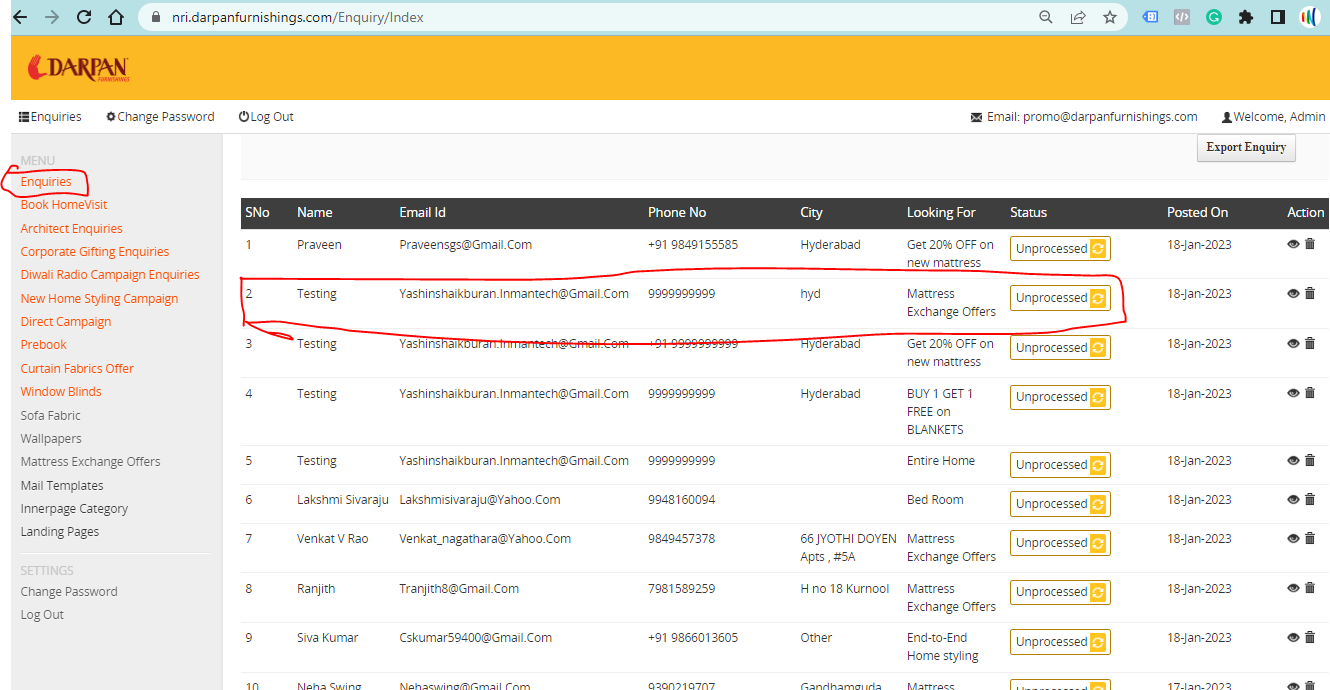
- After lead form submit login to LMS panel Darpan
Link : https://nri.darpanfurnishings.com/Account/LogOn
Password: password@219
- After Login in enquiries section you can see test form submitted like below screenshot
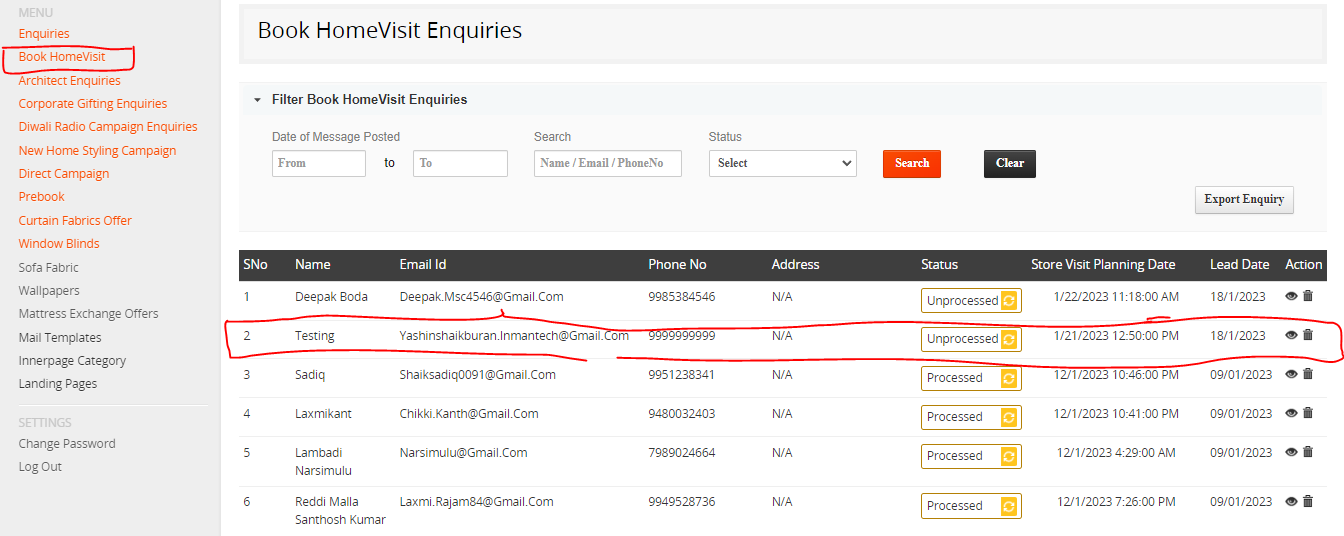
- For Furnishings on wheels campaigns you can find lead data in Book home visit section
- After Submitting the Lead from on all landing pages, we have to check the Conversion tag is firing or not using tag assist extension
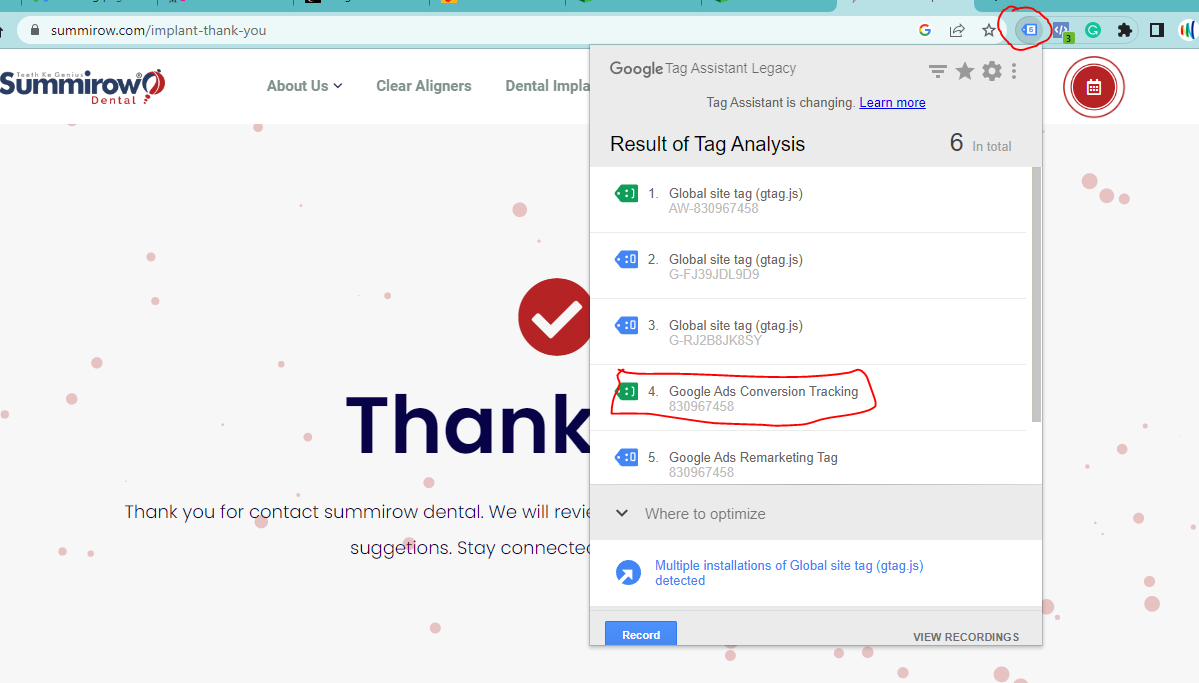
- If the Lead form is not working
- For Darpan Furnishings need to inform Seema the web developer or Google ad specialist
- For other clients need to inform Google ad specialist
- If the Auto Reply not working
a) For Darpan Furnishings need to inform Seema the web developer or Google ad specialist